Guide and free template
Daily site report: what it is, what to record and a template to download
What a daily site report (parte de obra) is, what goes in it and how it differs from the site orders book. At the end, a free daily report template to fill in on site.
Template reviewed on November 23, 2026
What is a daily site report?
It is the record, usually kept every day, of what happens on site: who worked and for how many hours, which machinery and materials arrived, what work was done and what incidents occurred.
It is usually filled in by the site manager or foreman of the main contractor, or by each subcontractor's lead for their trade. No authority sets a format for it: each company adapts it to its works and to what its contract asks for.
What goes in a daily site report?
The works and the day, with the weather; the crew by trade, with their hours and their task; the machinery and the materials received; the work done and the incidents.
Writing it down the same day, in short sentences and with the photo references, makes the report useful later to check hours, deadlines and deliveries.
How does it differ from the site orders book?
The site orders book (libro de órdenes) is the regulated book of the works. The daily site report is the record the party carrying out the work keeps to follow the day to day.
No authority sets a format for the report, and keeping one does not replace the site orders book.
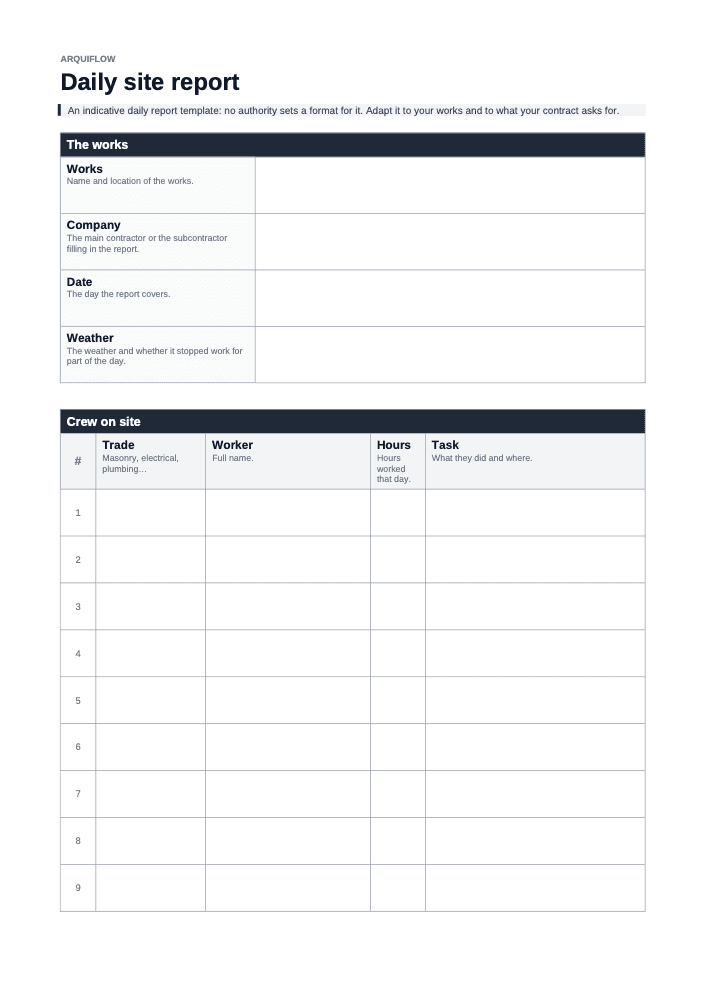
Daily site report
An indicative daily report template: no authority sets a format for it. Adapt it to your works and to what your contract asks for.
The works
- Works
- Name and location of the works.
- Company
- The main contractor or the subcontractor filling in the report.
- Date
- The day the report covers.
- Weather
- The weather and whether it stopped work for part of the day.
Crew on site
- Trade
- Masonry, electrical, plumbing…
- Worker
- Full name.
- Hours
- Hours worked that day.
- Task
- What they did and where.
Plant and materials
- Machinery
- The machinery and auxiliary equipment on site, with their hours of use.
- Materials received
- What arrived on site, with its quantity and the delivery note number.
Work and incidents
- Work done
- The day's work, by area or by item.
- Incidents
- What delayed or changed the work: breakdowns, missing material, accidents or visits.
Remarks and signatures
- Remarks
- Anything else worth putting in writing, and the photo references.
- Signatures
- Whoever fills in the report and, if required, the site manager who reviews it.
Who fills it in and who signs it
It is filled in by whoever carries out the work: the site manager or foreman of the main contractor, or each subcontractor's lead for their trade. Whoever fills it in signs it and, if the company asks, so does the site manager who reviews it.
No authority sets a format for it or who signs it: what the contract or the main contractor asks for is what counts. This template leaves room for three signatures.
Get the editable Word version
We email you a link to download it and adapt it to your work.
Controller: ArquiFlow. Purpose: to send you the document and, only if you tick the box and confirm it from the email, ArquiFlow news. Legal basis: your request and, for the news, your consent. Recipients: our email provider. Rights: access, rectification, erasure and the others explained in the privacy policy.
Frequently asked questions
Is there a format a daily site report must follow?
No. No authority sets a format for it: each company adapts it to its works and to what its contract asks for. This template covers the usual sections.
How often is a daily site report filled in?
Usually every working day, at the end of the shift. Some works also ask for a weekly summary by trade.
What is a daily site report for?
To check later the crew and hours of each day, the materials that arrived, the progress of the work and the incidents that delayed the works.
Each subcontractor signs its weekly report from its phone
You send each subcontractor a link. Without an account, the trade uses their phone to fill in who was on site, the hours, the work done and the photos, and signs its weekly report. You validate it, and it goes into the project's weekly acta.